Key Parts of an Email
- Subject: concise summary of purpose
- Greeting: e.g., "Dear Mr. Lopez," or "Hello Ms. Rivera,"
- Opening sentence: state purpose quickly
- Body: details, bulleted when possible
- Closing: polite sign-off ("Sincerely," "Thank you,") and name

Every email starts the same way in Gmail: click Compose, then fill in To and Subject before writing anything else.
A Real Email, Written Live
Here's a real email mid-draft — notice it already has three of the five parts from the list above before the writer has even finished: a clear Subject ("Scheduling Meeting"), a proper Greeting ("Hello Jal and Joaquin,"), and an opening sentence that states the purpose in one line, before any of the details.
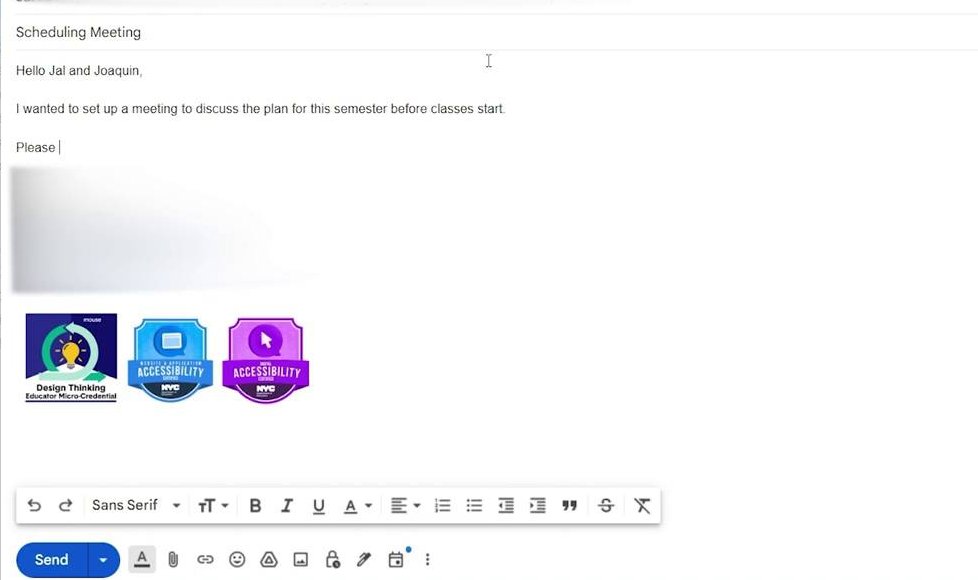
Notice what's missing so far: the body still needs its details, and there's no closing yet. A real email is written in that order — purpose first, details second, closing last.
Sample Email Template (use this)
Subject: Request for project feedback

Dear [Teacher Name],

I am writing to ask if you could review my poster draft before Friday. I have attached the file and would appreciate any feedback about layout and typography.

Thank you for your time.

Sincerely,
[Student Name]
Class Activity
- Students draft an email to their teacher asking for feedback and submit via Google Drive.
- Peer review: exchange drafts and give one suggestion.